French
US QWERTY → French AZERTY
qvecavecLayoutFix is a menu bar utility for correcting words typed in the wrong keyboard layout. It checks the word after Space and can switch the layout for what you type next.
kezboardkeyboardEnglish example: German QWERTZ → US QWERTY. Illustrative conversion; recognition depends on enabled layouts, dictionaries and the receiving app.
The App Store edition is being prepared and is not available to download yet. Read the setup guide or contact the developer.
A misplaced key can mean a different letter. Here are three more examples of the same physical keys mapped to another layout.
US QWERTY → French AZERTY
qvecavecUS QWERTY → German QWERTZ
YeitZeitUS QWERTY → Hebrew
akuoשלוםIllustrative layout conversions, not translations. Available dictionaries and input methods determine automatic recognition.
Choose the layouts to use. Recognized words can be corrected after Space, with an optional layout switch.
Fix or undo the last word, expand your abbreviations and choose which words and apps to leave alone.
Typing is processed on your Mac. Preferences, replacement rules and exception words are stored locally.
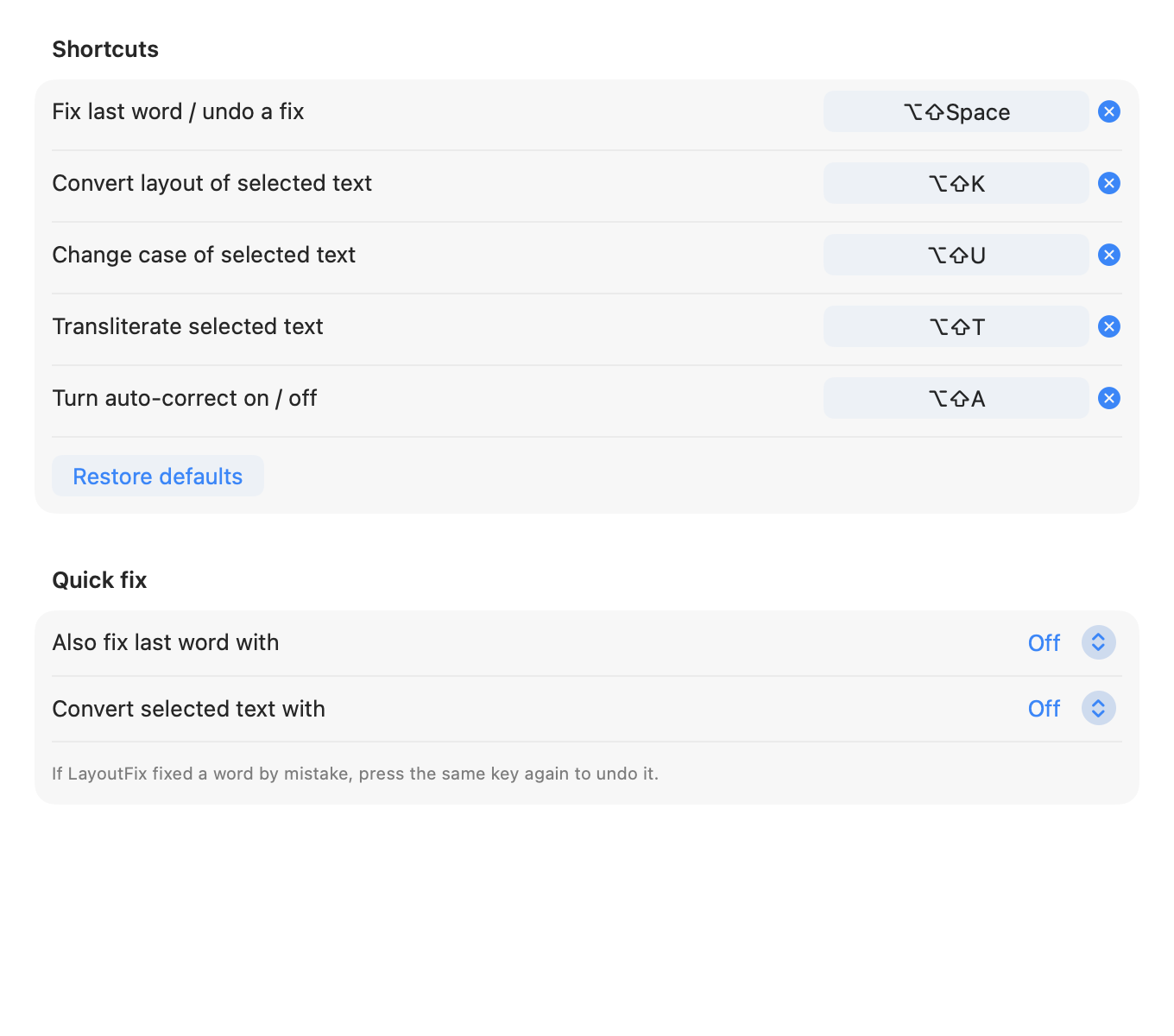
Customize shortcuts for the last word, selected text and automatic correction. These example preferences show the app’s Shortcuts panel.
The App Store edition requires Pro for text-processing features. Every plan unlocks the same features. Settings and purchase controls remain accessible before purchase.
| Planned USA price | Billing |
|---|---|
| $0.99 | Every month |
| $2.99 | Every 6 months |
| $3.99 | Every year |
| $9.99 | One-time lifetime purchase |
USD base prices for the USA. Final local prices are shown by the App Store before purchase. These plans do not include a free trial. Availability remains subject to release.
Subscriptions renew automatically unless cancelled at least 24 hours before the end of the period. Manage or cancel them in your App Store account settings. The lifetime option is a one-time purchase.
LayoutFix requires macOS 13 or later. Input Monitoring lets it observe typing; Accessibility is used for correction and supported selection commands. You can turn automatic correction off globally or for selected apps. Quit LayoutFix from the menu bar to stop keyboard monitoring.
Automatic correction is disabled when macOS reports Secure Event Input. App exclusions and this check do not disable manual commands or serve as a general keyboard-monitoring control. Custom password fields may behave differently. Read the privacy policy for local storage and clipboard details.